Home / News / Product News / Is a Wireless Cinema Reliable? Latency, Interference and Power
Is a Wireless Cinema Reliable? Latency, Interference and Power
2026-11-13 · Product News
Verdict: whether a wireless cinema system is dependable comes down to three things: latency, interference and power
The word "wireless" tends to bring Bluetooth speakers to mind: dropouts, delay, compromised sound. What home cinema uses is something else: a digital link on a dedicated band, plus a power amplifier built into every speaker. It does not run on Bluetooth, and it does not share the channel your home Wi-Fi uses.
When judging whether a wireless cinema set is dependable, ignore a line such as "adopts advanced wireless technology" and look at three verifiable points:
- Latency: whether sound and picture can be aligned (above 40ms it becomes visible)
- Interference: whether it uses the shared 2.4G / 5G bands
- Power: whether every speaker needs a mains socket nearby
1. Latency: the lips have to match before it counts as acceptable
The eye tolerates an audio-video offset of roughly 40ms; beyond that it becomes visible, with the actor opening his mouth and the sound arriving half a beat late. Bluetooth latency is usually above 100ms, which is why a Bluetooth solution works for music and not for film.
A home wireless cinema system takes another route, a dedicated low-latency link. The transmitter packs the multichannel signal into one digital stream, the receiver unpacks it channel by channel, and latency is typically 10–20ms. Together with the audio delay setting in the player, it can be brought into alignment that the eye no longer catches.
The test is simple. Play a clip of people talking, an interview or a news segment, and watch the mouths. If they match, it passes. If they do not, latency has not been handled properly, and do not expect that "a bit of tweaking" will fix it.
2. Interference: the dedicated 5.8GHz band vs the shared 2.4G / 5G bands
The busiest band in a home is 2.4GHz: routers, microwave ovens, Bluetooth headsets, wireless keyboards and mice all sit in it. Sending multichannel audio over that band is like driving on the busiest road in town.
| Approach | Band | Typical problem |
|---|---|---|
| Bluetooth | 2.4GHz, shared with Wi-Fi | High latency, dropouts with several devices in use |
| Wi-Fi audio | 2.4G / 5G, shared with internet traffic | Stutters during large downloads or 4K playback |
| Dedicated wireless | Separate bands such as 5.8GHz | Carries audio traffic alone, unaffected by internet use |
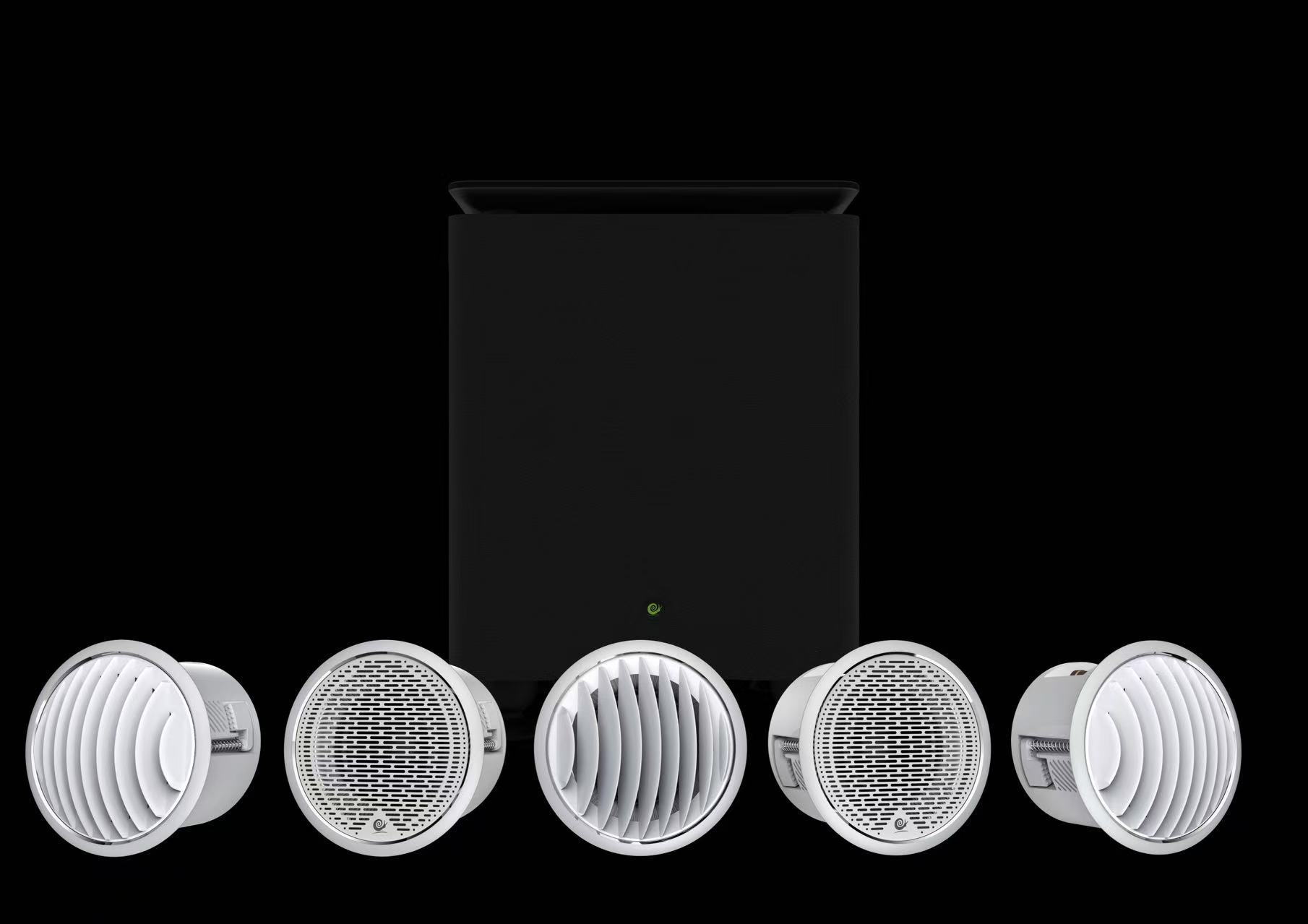
The CW90 wireless system from SNAIL POWER runs on the dedicated 5.8GHz band, on a separate path from the home Wi-Fi. In use, downloading a file while watching a film does not cause interference in either direction, and this is the fundamental difference between it and a "Wi-Fi speaker".
3. Power: wireless saves cable, not electricity
This point has to be put plainly: wireless removes the audio cable, not the mains cable. Every wireless speaker needs a socket nearby, or a mains feed left in place during construction.
Planning before renovation is the easiest option: leave a five-hole socket in the ceiling for each speaker, aligned with its cutout. If the renovation is already finished, run surface trunking or tap power from a downlight position. That is the awkward part of any retrofit, and the reason a retrofit costs more than a wired install.
The cutout dimensions are the same as the wired version: CW90 uses a Ø90mm cutout and a Ø105mm faceplate, with 111dB maximum sound pressure level. What you see once the work is done is still a small round grille, with nothing to show that it is wireless.
4. Wireless or wired: how to choose
| Wireless (CW90 class) | Wired (IW3max / IW4pro class) | |
|---|---|---|
| Stage it suits | Already renovated, cabling no longer possible | Electrical and plumbing stage, cable can be buried in advance |
| What has to be provided | One power point per speaker | One audio cable per speaker, plus an amplifier in place |
| Amplifier | Built in, no external AV receiver needed | External AV receiver |
| Later changes | Moving a speaker is easy, wherever power is available | Moving a speaker means re-running cable |
| Starting price | 5.1 set from ¥17,200 | 5.1 set from ¥19,600, receiver and player included |
On price the comparison is not as simple as "wireless costs more". The wireless set builds the amplifier into the enclosure, which saves the cost of an external receiver, but every speaker needs power and each enclosure costs more to make. The final difference depends on the configuration, so do not compare list prices alone.
5. When wireless is not the right choice
- You are at the electrical and plumbing stage. If cable can be run, run cable. At the same budget a wired system gives more power headroom and more room to upgrade.
- The room is large and you want wide dynamics. The amplifier inside a wireless enclosure has limited power. For spaces above 60 m², and for listeners who like high volume, a wired system with a high-power amplifier is the recommendation.
- There is no power in the ceiling and you do not want surface cable. In this case the advantage of wireless cannot show, and forcing it will look bad.
- You plan to move up to 7.1.4 later. A wireless system has limited expansion. If you want more channels in one step, go wired.
6. Frequently asked questions
Q: Will the neighbours' Wi-Fi interfere with a wireless system?
The 5.8GHz band is relatively clean in a home environment, and it carries audio data alone, so internet traffic has little effect on it. What does deserve attention is not placing several transmitters on the same channel in one space.
Q: What if a speaker loses its connection?
Start by checking the power to that speaker, which is the usual cause, then check whether a large metal object blocks the path between transmitter and enclosure. A correctly installed system does not need repeated pairing.
Q: Will sound quality be worse than wired?
The difference lies in amplifier headroom, not in transmission. The digital link itself does not compress the multichannel audio; the real difference is the power ceiling of the built-in amplifier, and it is audible mainly in large rooms at high volume.
Q: How many speakers can one wireless system carry?
It follows the set: 5.1 means five speakers plus one subwoofer. Adding speakers requires confirming the channel count of the transmitter, and it cannot be expanded at will.
Two sets you can look at directly
To choose by budget, 5.1 corresponds to the CW90-W10 5.1 wireless home cinema set (from ¥17,000, with the W10 subwoofer). For more low-frequency output, look at the CW90+P10 5.1 wireless set. The specification of a single speaker is on the CW90 product page: Ø90mm cutout, Ø105mm faceplate, 111dB maximum sound pressure level.
One-sentence verdict
A wireless cinema system is not a sound-quality compromise; it is an installation compromise, one that trades a power cable for the audio cable. When the renovation is finished and the walls cannot be opened, it is the practical route to 5.1 in a living room. When the renovation is still ahead and you want wide dynamics, go wired and stay wired.