To get the best possible sound quality, looking after your equipment plays a crucial role. So how should you maintain your audio system? Let Snail Power show you a few simple tips for caring for it.
Tip 1: Give the contacts a thorough clean once every six months
As everyone knows, when metal is exposed to the air it soon oxidises on the surface, losing its shine and turning dull. Even if the plugs on your signal cables are gold-plated and therefore not easily oxidised, and make tight contact with the sockets on the equipment, over time they will still oxidise to some degree and cause poor contact, so clean them at least every six months. Simply dip some cotton in alcohol and wipe the contacts; once you have done this, the contacts will be back at their best and the sound will become clearer and more transparent.
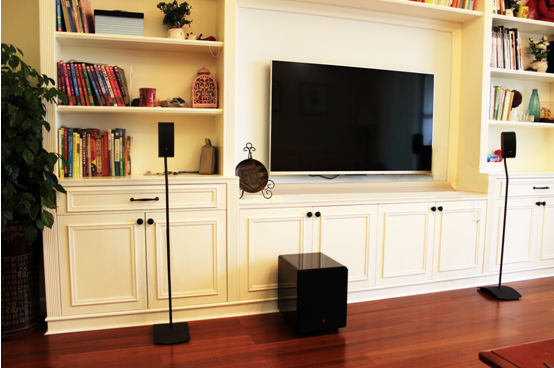
Tip 2: Try to avoid stacking components on top of one another
Stacking equipment on top of one another is a compromise forced by limited space, but once you have the room you should try to place the main CD source and the amplification stage separately, because stacking them causes resonance that affects the equipment. When the speakers play music they set the air vibrating, and the equipment vibrates along with it; two units stacked together will pass resonance to each other, blurring the fine detail in the music and interfering with the transmission of each frequency band, producing a kind of sound pollution. If one of them is a CD player, the motor spinning as it plays a disc makes the resonance even stronger and the effect even greater. So place your equipment separately on a sturdy rack.
Tip 3: Clean the laser pickup of your CD player
The laser pickup is obviously tiny, but it alone reads the marks on the CD, so even a little dust stuck to the pickup is enough to affect the accuracy of the signal it reads. Although most CD players have a sealed body, do not forget that the constant loading and unloading of discs leaves gaps for dust to steal in, and after a while there will certainly be more or less dust on the surface of the pickup. At that point you should undo the screws on the lid, open it and clean the pickup directly with a cotton bud dipped in alcohol. There are all kinds of CD cleaning discs on the market, but the ones you pay a few tens of yuan for may only sweep away dust with a row of brushes or use a velvet surface that spins to remove dust; the effect is not as thorough as cleaning directly with a cotton bud. When you have finished cleaning a CD player whose pickup has not been cleaned for a long time, listening to it again is like lifting away a veil: the high frequencies regain their former clarity and the detail is far more pleasing. This pickup cleaning should be done about once a year. Even if you use Pioneer's inverted transport system (with the laser pointing down rather than up), dust will still be attracted and stick to the pickup by the static electricity it carries, so this job cannot be skipped either.
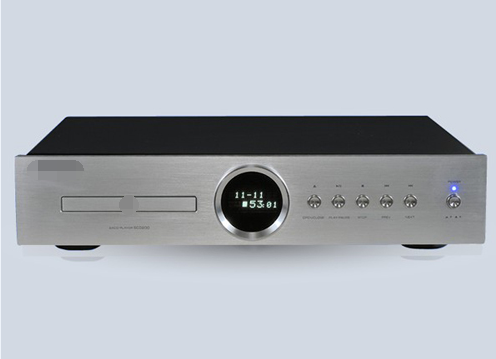
Tip 4: Disable the variable volume output on your CD player
Many standalone CD players have a variable volume output so that you can control the volume with the remote control. If you have no use for this variable output, you can simply disable it, and the headphone output on the front panel can be disabled along with it if you do not need it either. Both of these outputs are split off from the main signal; once they are disabled and you use only a single fixed-level output, the energy of the output signal is no longer diluted, the sound becomes more solid and the sense of power is better than before. Disabling these two outputs is not complicated: just open the lid and unplug the relevant leads inside the unit.
Tip 5: The less interference, the better the sound
Household appliances and computers in the room should be kept off the same power supply as your audio system; even if they have to stand together, they should draw power from elsewhere. Second, letting cables become tangled also makes them pick up noise from one another and spoil the sound quality. Whether it is equipment or connecting cables, they should all be kept free from interference by other appliances or power cords.
Tip 6: Speaker placement
Placing the speakers is an important part of using an audio system, and poor placement will inevitably take a heavy toll on playback. Finding the best position in a room takes real skill; besides patiently listening to the results at different positions, you can also ask an expert for guidance.
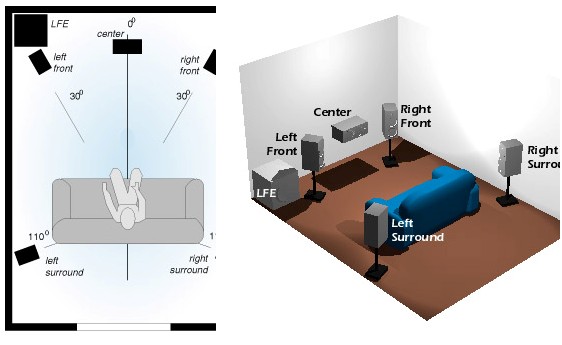
In an ordinary home, furniture and clutter are already excellent sound-absorbing materials, so there is no need to make absorption too complicated; laying a rug already gives you a basic improvement in absorption. The advantage of a rug is that it reduces reflections from the floor and keeps them from mixing with the sound coming from the front and making it muddy. If you want to know whether your room needs a rug, lay one down and listen to how the sound changes. When the speakers are too close to the rear wall, you can also consider hanging a tapestry to increase absorption, but be careful not to use too large a piece, or it may absorb even the ultra-high frequencies. In addition, glass and mirrors in the room reflect sound strongly, and curtains should be used to screen them and solve the problem. Those with higher demands can do more absorption work in the corners of the room and at the points where sound reflects, but be careful not to overdo the absorption; a moderate amount of reflected sound helps the sound stay lively and vivid.